Hello friends,
Another Checkvist update is out. Here’s what we did:
Move to bookmark
This feature is a merge of bookmarks and the “move to” feature.
With the original “move to” feature, you can move selected list items to a chosen list or a list item. After the move, you stay at the same place.
Now, you can also use bookmarks as targets for the move command. After you select items to move, press mb. This opens a dialog window, where you can select the bookmark. If the bookmark has an assigned numeric shortcut like b1, you can also press 1 to choose it right away. That makes mb1.
Just like with a regular “move to”, you can use the gg keyboard shortcut after the move to navigate to the target. 
Synchronize time tag durations with Google Calendar events
Checkvist has a “progress counter” feature, which allows you to see the sum of task durations under a parent task (or in the whole list).
This feature uses time tags like #3h as time estimates for individual tasks. And now, we’ve added a setting to calculate the duration of Google Calendar events based on these tags.
Checkvist has a two-way Google Calendar sync for list items with due dates. Before, there were only two options for the duration of calendar events:
- Whole-day events.
- 1-hour events that start at the time when daily email notifications are sent. This time can be set on the Notifications settings page.
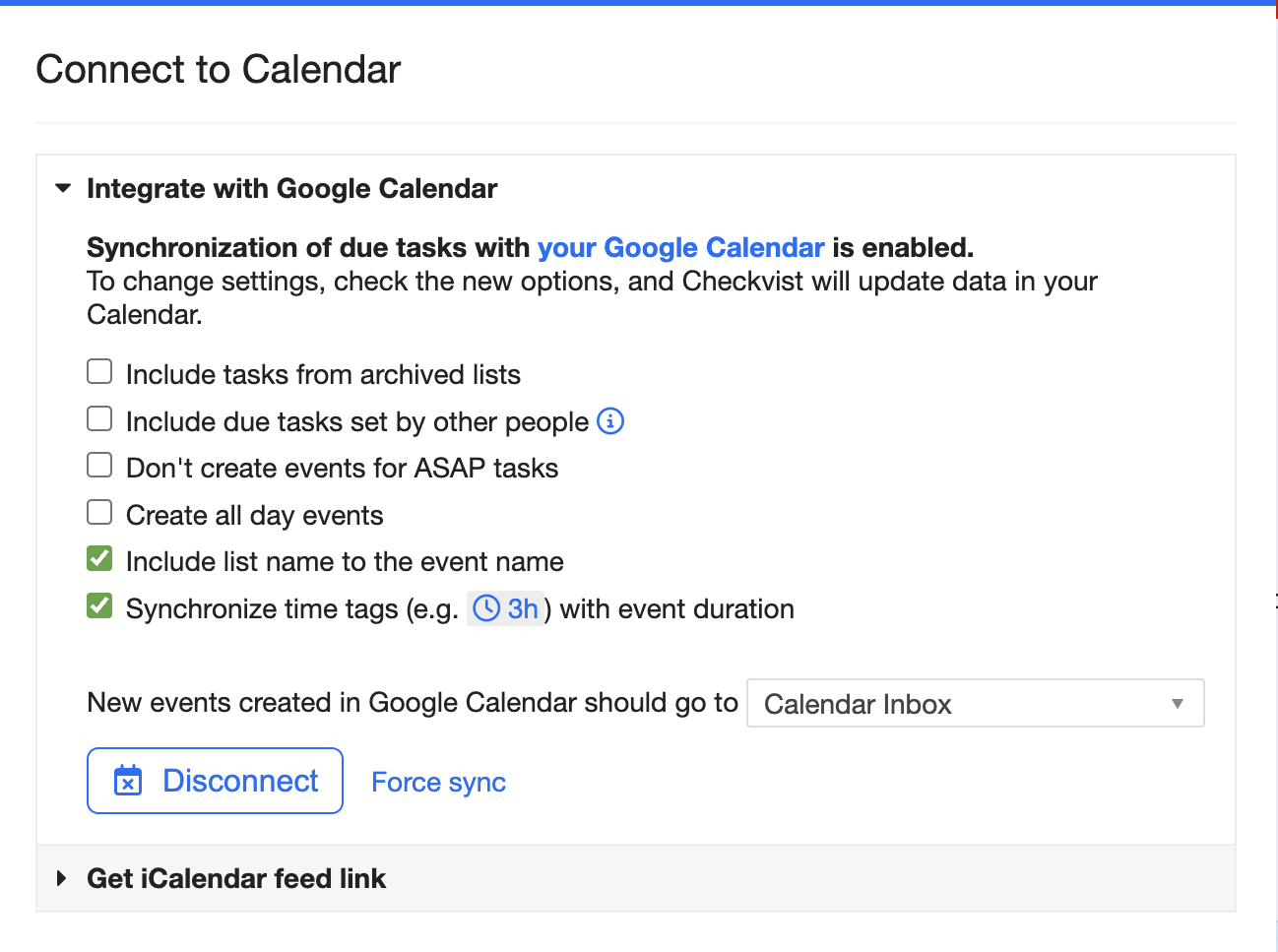
With this update, you can enable the Synchronize time tags with event duration option in the Google Calendar integration window. When set, the duration of the events will be the sum of time tags of the tasks. Here are some more details in the docs.
Other fixes
- Allow ea and ei to edit the list name when no item is selected
- There was an intermittent bug with due date synchronization in Google Calendar. Sometimes events could drift one day off. Should be fixed now.
- When copying a large number of list items to another list, there could be an error on the target page. Fixed, too.
- We’ve made some performance improvements when showing popup windows, like the shift+shift command palette, on large lists (5000+ items).
Thanks if you read so far 
As always - if you have any questions or issues with Checkvist - please reach out to us. By the way, we updated the feedback page - and included Discord there.
Best,
KIR & Sasha