Hi @maxkir
First of all, thank you very much for this important feature!
I also appreciate making the 2FA more native and independent of google sign-in (which you had indicated was the earlier intention).
I have tested it out and once it was setup, it worked as it should.
Some observations -
-
Could we also show the secret key (or show the QR as a “real” image instead of the HTML bits that are used to render the QR code). That will make it possible to “easily” add it to Winauth (which is a common and widely used authenticator tool for the windows desktop).
-
I don’t know if it has to do with the rendering of the QR code, but it was not very easy to add to Microsoft authenticator, had to take many retries before it was able to scan it. It usually has gone easier with other QR codes on other websites. Showing the secret key (mentioned above) will make it easier when there is a problem scanning QR codes.
And a suggestion -
- It might be handy to have a “Checkvist” app icon available, so people can add it to their authenticators (to identify & distinguish Checkvist from other 2FA enabled websites).
I have currently snagged the un-official checkvist icon from here
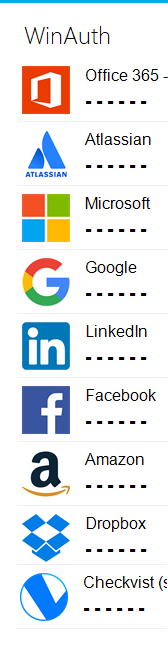
e.g. my WinAuth authenticator list looks like this -